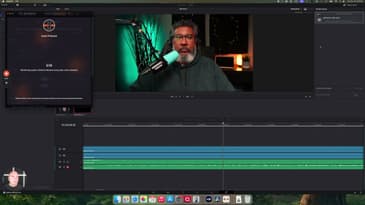
Editing multi-cam podcasts or videos doesn’t have to be a headache! In this episode, I dive into AutoCut, a powerful plugin for DaVinci Resolve (and Premiere Pro) that automates the tedious parts of editing. Learn how this tool saves me up to 90 minutes per project, reduces mental load, and makes post-production a breeze. Whether you’re new to DaVinci Resolve or looking to optimize your workflow, this tutorial has you covered.
Plus, updates on Beyond the Post Season 3. Don’t forget, this episode is better experienced on YouTube with the full visual walkthrough!
💡 Timestamps
0:00 Intro
1:16 Updates on Beyond the Post Season 3
2:40 Why I Switched to DaVinci Resolve
5:09 Exploring AutoCut Features
7:56 Setting Up AutoCut for Multi-Cam Podcasts
12:38 Exporting AutoCut Projects to Final Cut Pro
13:50 Exclusive Patreon Insights
🎥 Watch the video tutorial for the full breakdown!
👉 Links Mentioned:
• AutoCut Plugin: https://www.autocut.com/en/
• DaVinci Resolve Download: https://www.blackmagicdesign.com/products/davinciresolve
• Beyond the Post Patreon: https://www.patreon.com/patreon
💌 Questions or feedback? Email me at bodie@beyondthepost.fm
🔔 Don’t forget to subscribe, like, and share with your creator friends!